
LED Screen Black Spots (Dead Pixels): Causes and Repair Guide
Black spots on a LED display—often called dead pixels or dead LEDs—are a common issue that can affect visual quality and customer experience. Whether you’re using a transparent LED screen, rental display, or fixed installation, understanding the root causes and how to fix them can save both time and maintenance costs.
This guide explains why LED screens develop black spots and provides a step-by-step repair method to help you resolve the issue efficiently.
What Are LED Screen Black Spots?
Black spots appear when individual LED beads fail to emit light. These defective pixels remain dark while the rest of the screen operates normally, creating visible inconsistencies.
Common Causes of LED Screen Black Spots
LED Bead Failure
The most common reason is damaged LED beads. This can occur due to:
- Aging over time
- Overheating during operation
- Electrostatic discharge (ESD)
- Manufacturing defects
Once damaged, the LED cannot emit light, resulting in a permanent black pixel.
Soldering Issues
Poor soldering can interrupt the electrical connection between the LED and the PCB:
- Cold solder joints (weak connection)
- Dry or missing solder
- Oxidation of solder points
- Cracks caused by thermal expansion and contraction
These issues lead to intermittent or complete signal loss.
Power or Signal Problems
Unstable electrical conditions can also cause black spots:
- Voltage fluctuations or insufficient current supply
- Loose or damaged cables
- Signal transmission errors
If the LED does not receive proper power or data, it may fail to light up.
Environmental Factors
Harsh environments significantly shorten LED lifespan:
- High temperature or humidity
- Salt spray (coastal areas)
- Dust accumulation
These conditions can corrode components and accelerate degradation.
Mechanical Damage
Physical impact during transportation, installation, or operation may cause:
- Broken LED beads
- Damaged PCB circuits
- Internal structural issues
Can LED Screen Black Spots Be Repaired?
Yes—in most cases, dead LEDs can be repaired or replaced on-site, especially for modular LED displays. This makes maintenance more cost-effective compared to full module replacement.
DIY Repair Guide for LED Black Spots
Important: This method requires basic technical skills.
Required Tools:Heat gun (recommended temperature: ~260°C), Tweezers, Replacement LED (same specification as original)
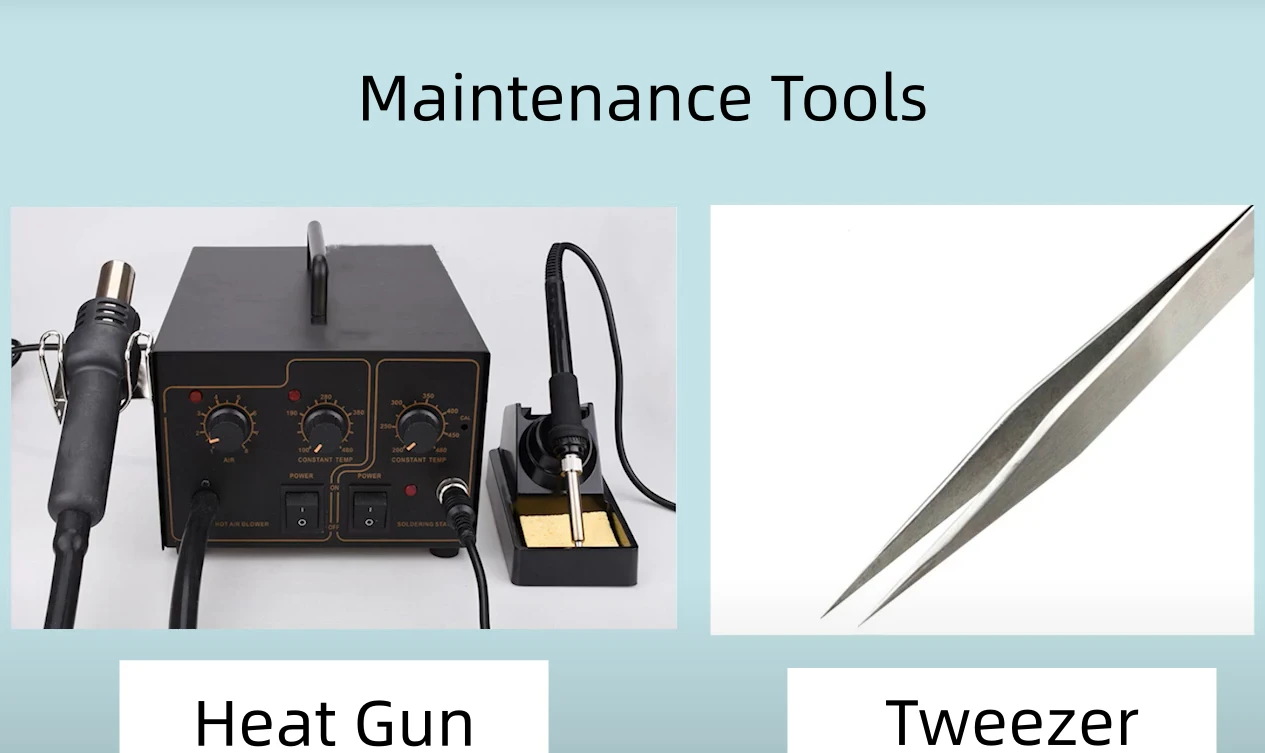
Step-by-Step Repair Process
Step 1: Remove the Faulty LED
- Use a heat gun to heat the defective LED for 7–10 seconds.
- Maintain a safe distance to avoid damaging nearby components
- Ensure even heating
Once the solder melts, gently remove the LED using tweezers.
Step 2: Prepare the New LED
Take a new LED bead and:
- Confirm it matches the original model
- Check the direction carefully
Incorrect orientation will prevent it from lighting up
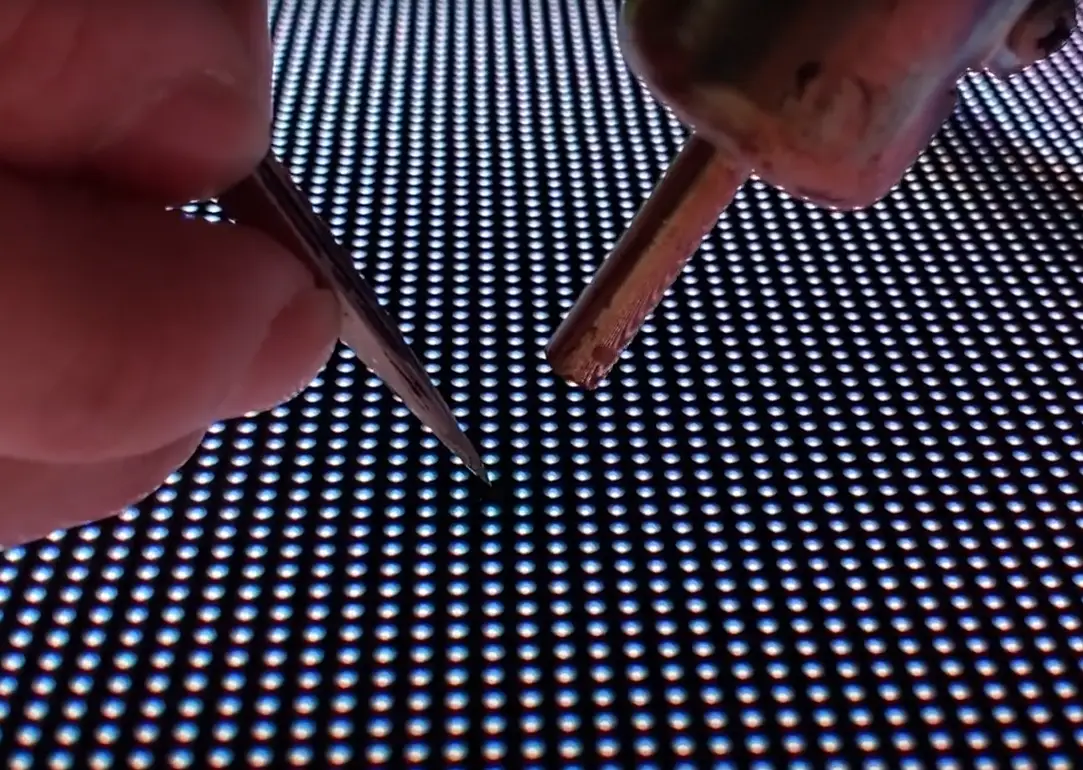
Step 3: Install the New LED
Place the new LED in position and use the heat gun again:
- Heat for 7–10 seconds until the solder reflows
- Ensure proper alignment with surrounding LEDs
Step 4: Test the Screen
After cooling:
- Check if the replaced LED lights up normally
- Verify color consistency and brightness
Pro Tips to Prevent Future Dead Pixels
- Use stable power supply systems
- Ensure proper heat dissipation and ventilation
- Avoid installation in extreme environments
- Handle modules carefully during transport and setup
- Choose high-quality, certified LED displays to reduce failure rates
More Flexible, Efficient, and Maintenance-Friendly LED Display
Unlike address code protocol chips, InVisia adopts breakpoint continuation protocol chip, delivering superior reliability and maintenance efficiency. Even if a single LED fails, it does not affect the performance of other LEDs, ensuring continuous and stable display output at all times. This significantly reduces the risk of cascading failures.
In addition, InVisia allows any LED from the same production batch to be freely replaced, without the need to locate or match address codes. This eliminates complex maintenance procedures and greatly reduces repair time and overall maintenance costs.
Conclusion
LED screen black spots are typically caused by LED failure, soldering defects, power instability, environmental stress, or physical damage. The good news is that most dead pixels can be quickly repaired with simple tools and proper technique. This guide is part of our LED display troubleshooting series. If your LED screen shows unstable brightness or rapid flashing, it may be related to signal interference or power instability. Learn more in our guide on LED screen flickering issues and solutions.
By understanding the causes and applying the right maintenance methods, you can extend the lifespan of your LED display and maintain optimal visual performance—critical for advertising, retail, and event applications.
If you’re managing large-scale LED installations or need professional support, choosing a reliable LED display supplier with strong quality control and certifications can significantly reduce maintenance issues in the long run.

 5th Floor, Building 9, Hengchangrong High-Tech Industrial Park, Bao'an District, Shenzhen 518128, China
